 Bill Eka
Know where your grocery money goes.
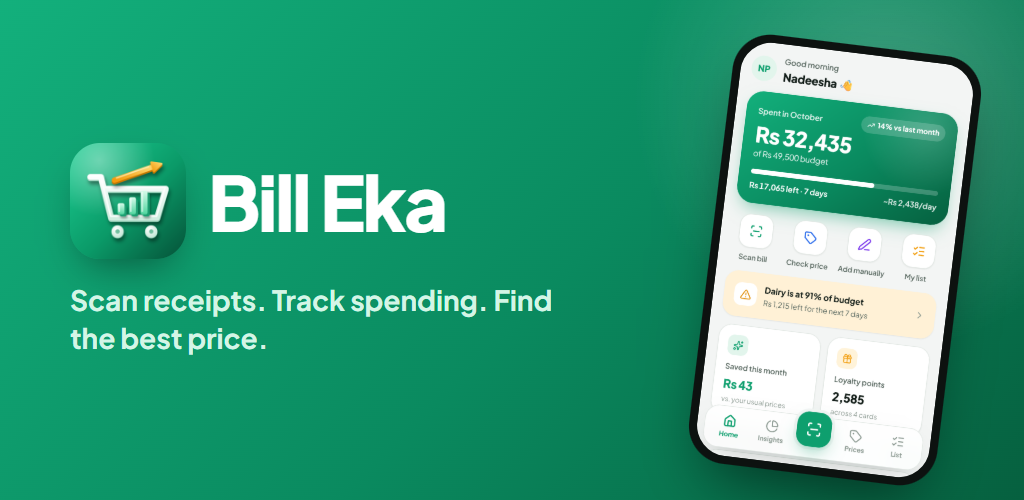
Bill Eka reads your supermarket receipts with AI, tracks your spending against category budgets, and shows what you've really paid for each item across stores.
Free to download. Android 7.0 or later.
From paper receipt to clear numbers in three steps
No typing, no spreadsheets. Snap a receipt, check what the AI read, and your spending updates itself.
Scan
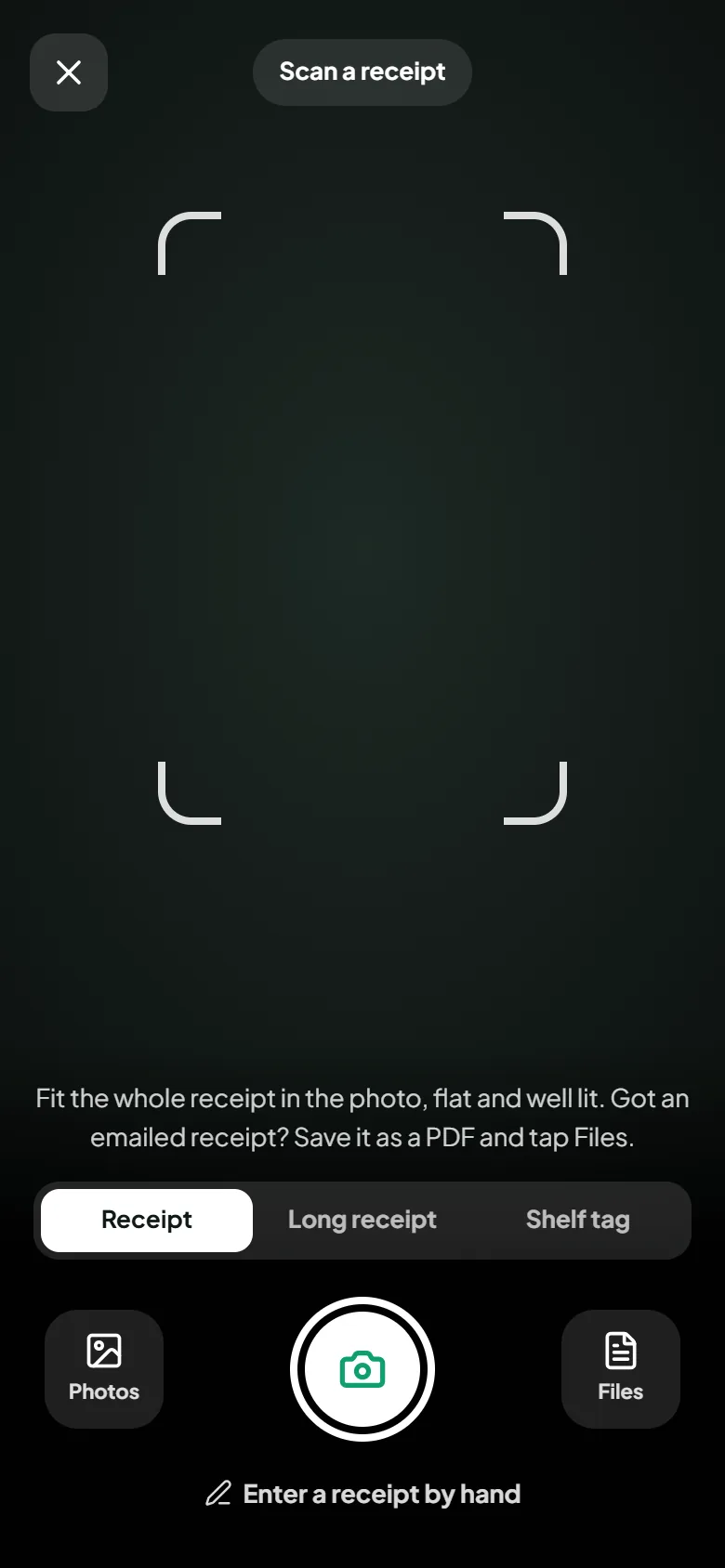
Take a photo or pick up to five from your gallery. PDF and email receipts work too, and a long receipt can be captured in parts and read as one.
Review
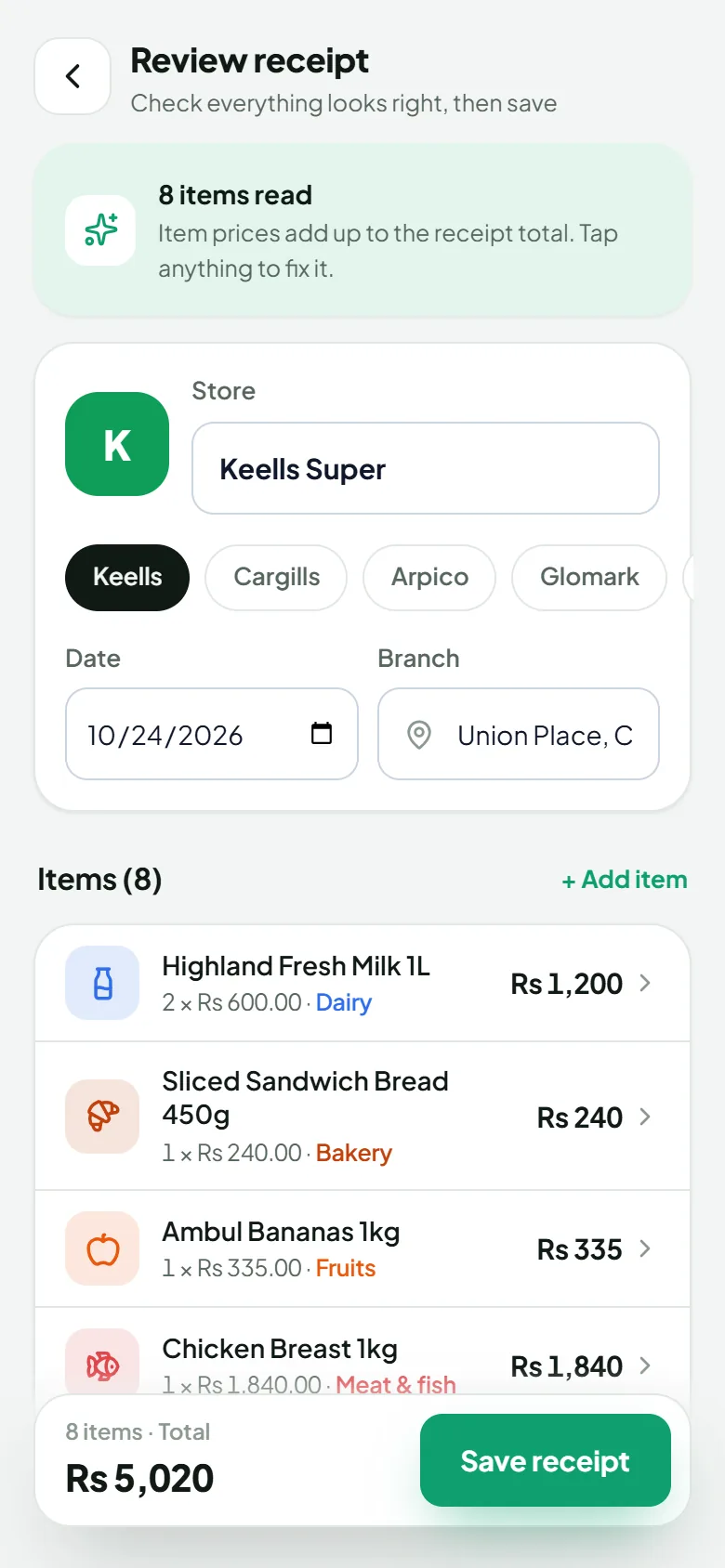
Every item, price and category is shown for you to check and fix before anything is saved. Save stays in view however long the receipt is.
Understand
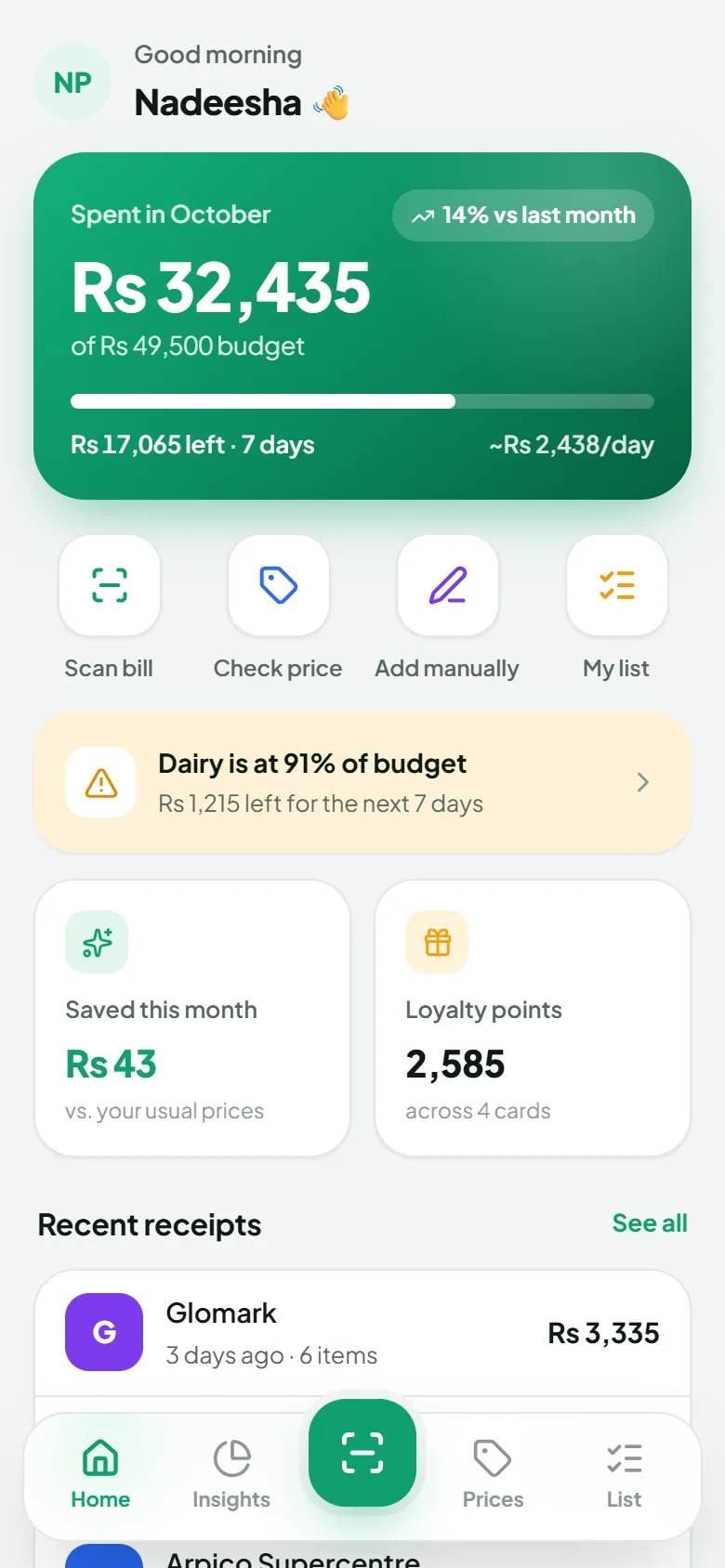
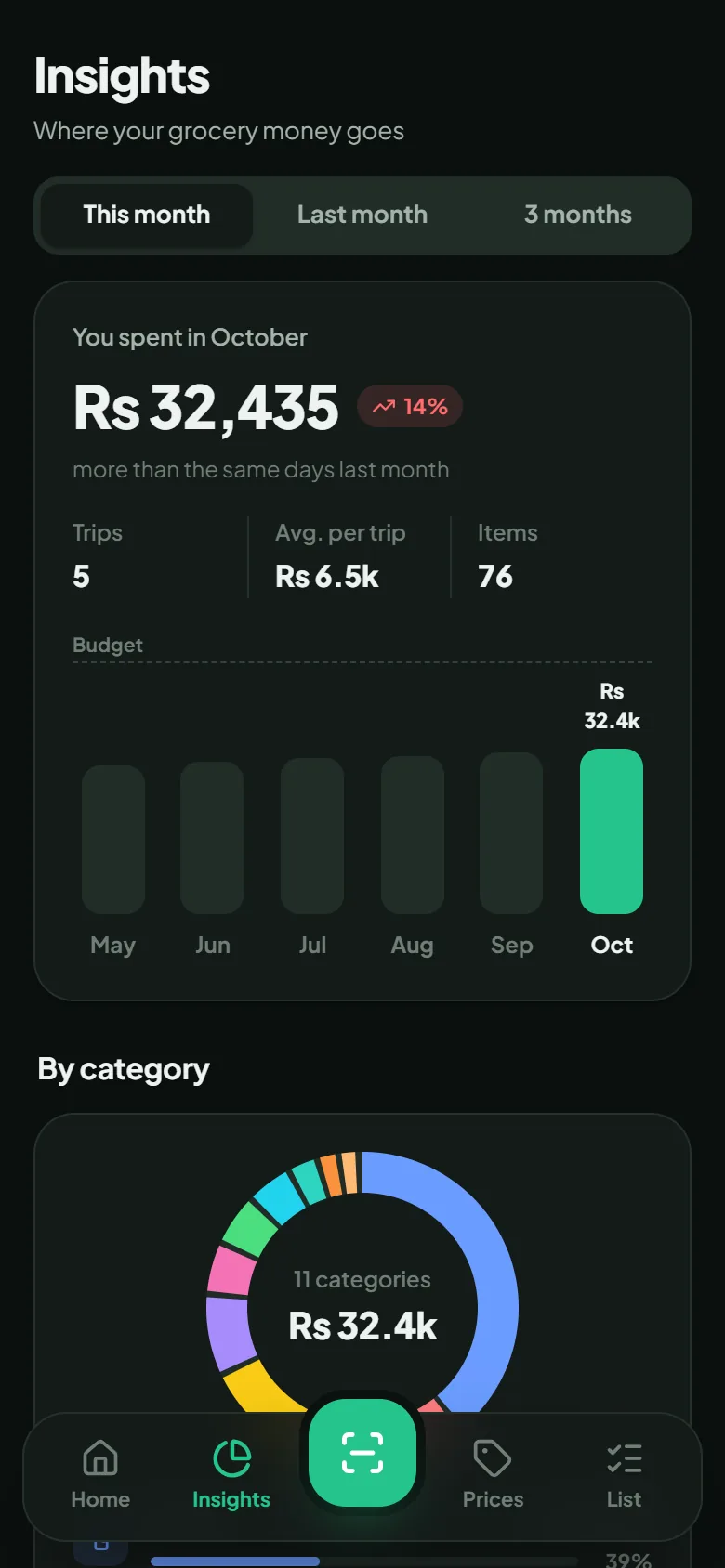
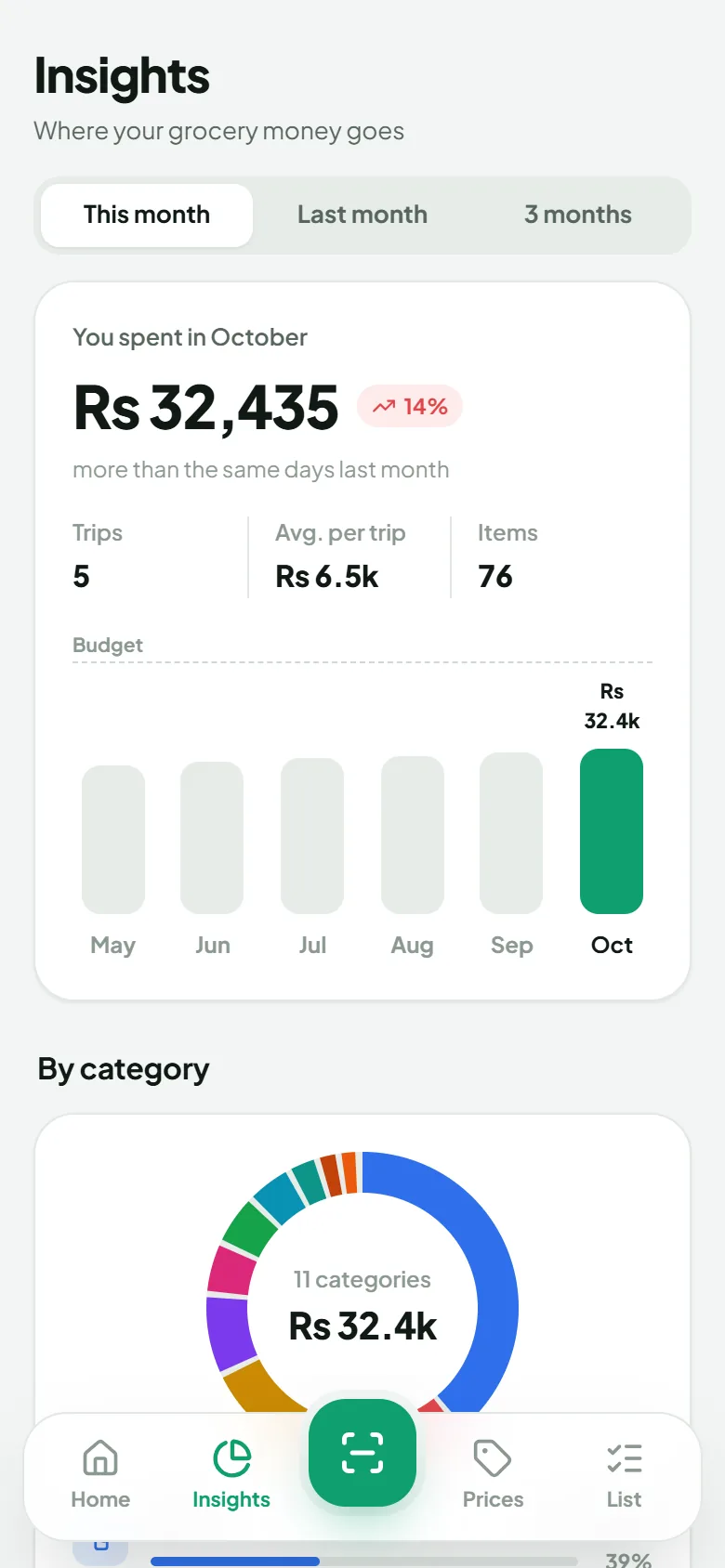
See spending by category, store and time period, stay within your budgets, and spot which shop is cheaper for your regular items.
Everything a weekly grocery shopper needs
Built around how people in Sri Lanka actually shop: several stores, weekly trips, and rupees that need to stretch.
AI receipt scanning
Reads items, quantities, prices and store discounts from photos, PDFs and email receipts. Pick several photos at once and each becomes its own receipt.
Category budgets
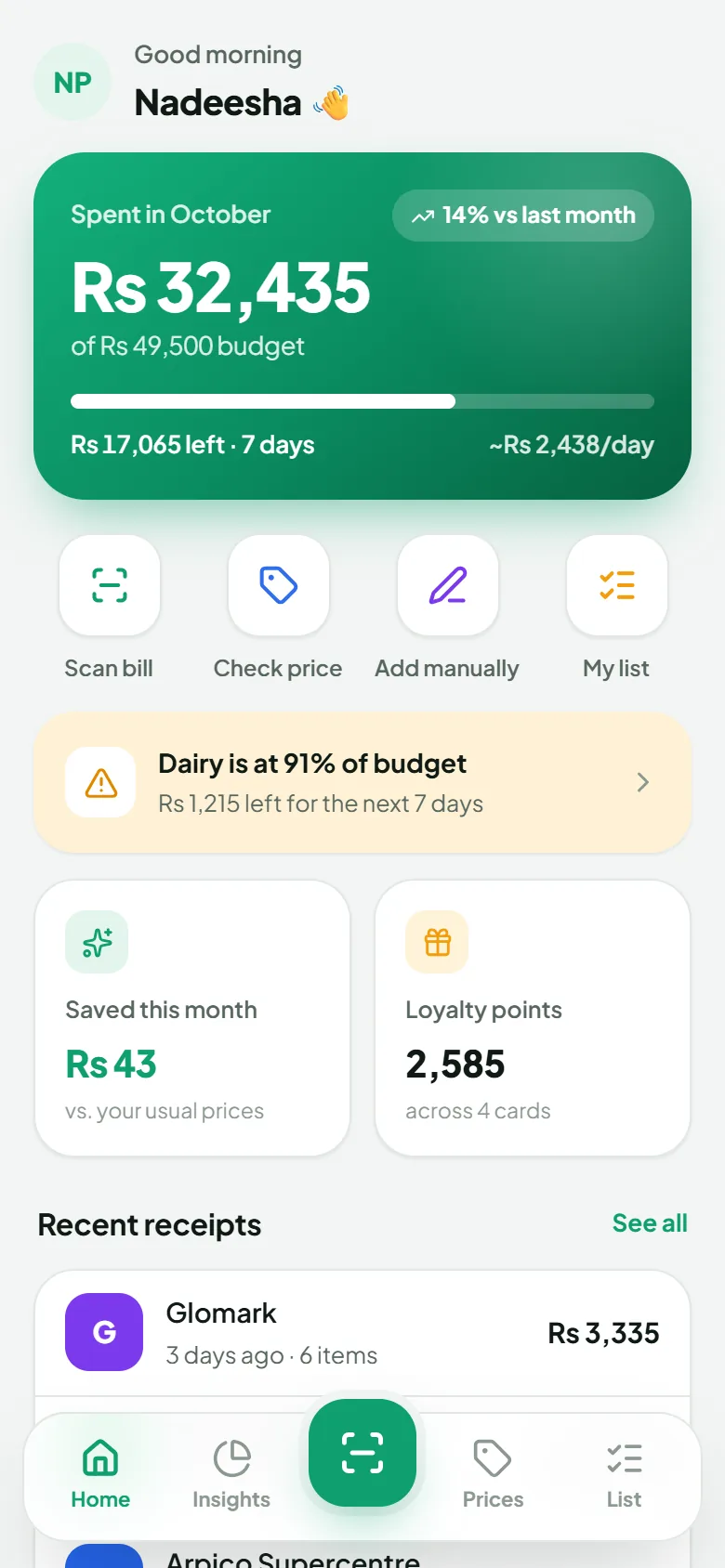
Set a monthly limit for Dairy, Meat & Seafood, Pantry & Staples and more, and get a heads-up before you overspend.
Spending insights
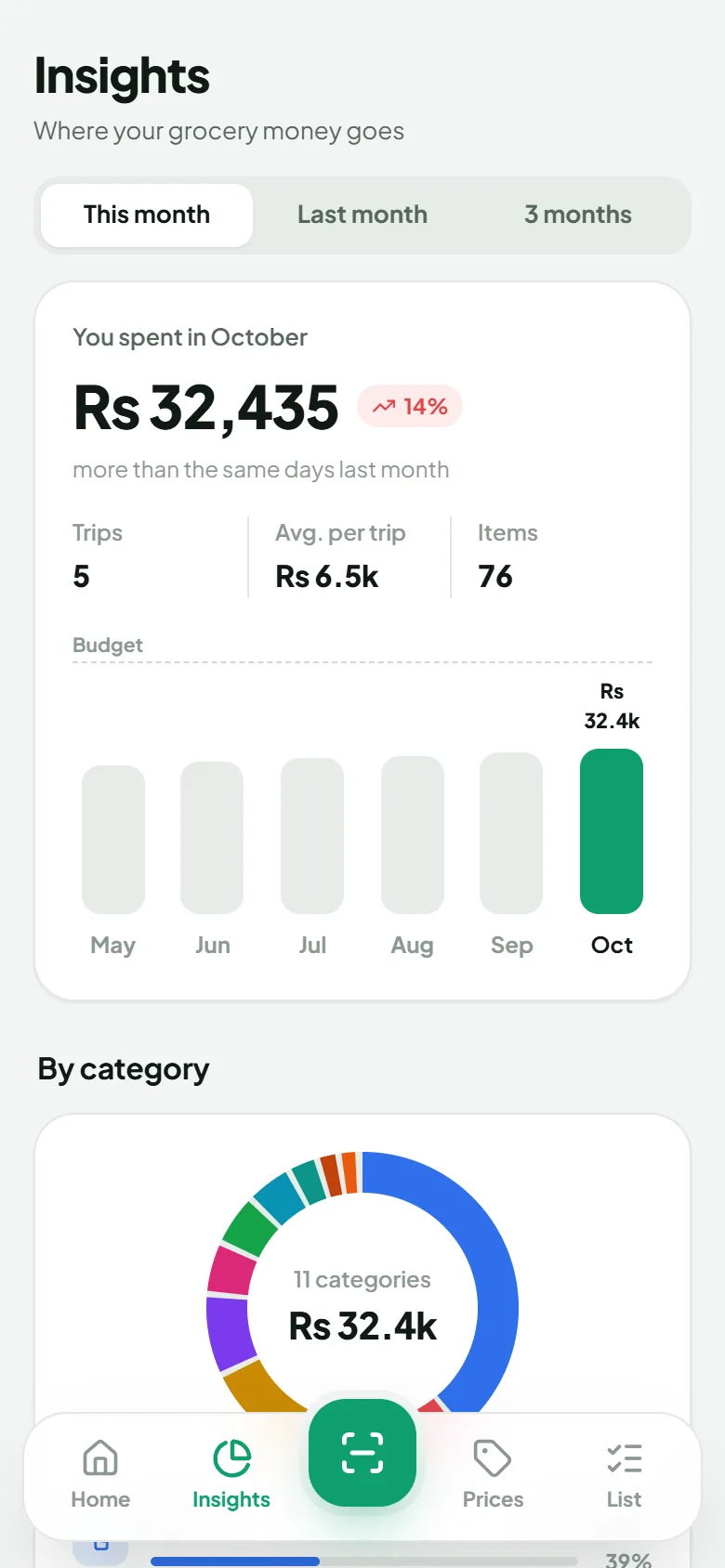
A six-month trend, a category breakdown and where you shop, for this month, last month or the last three. Export to CSV whenever you want your own copy.
Price comparison
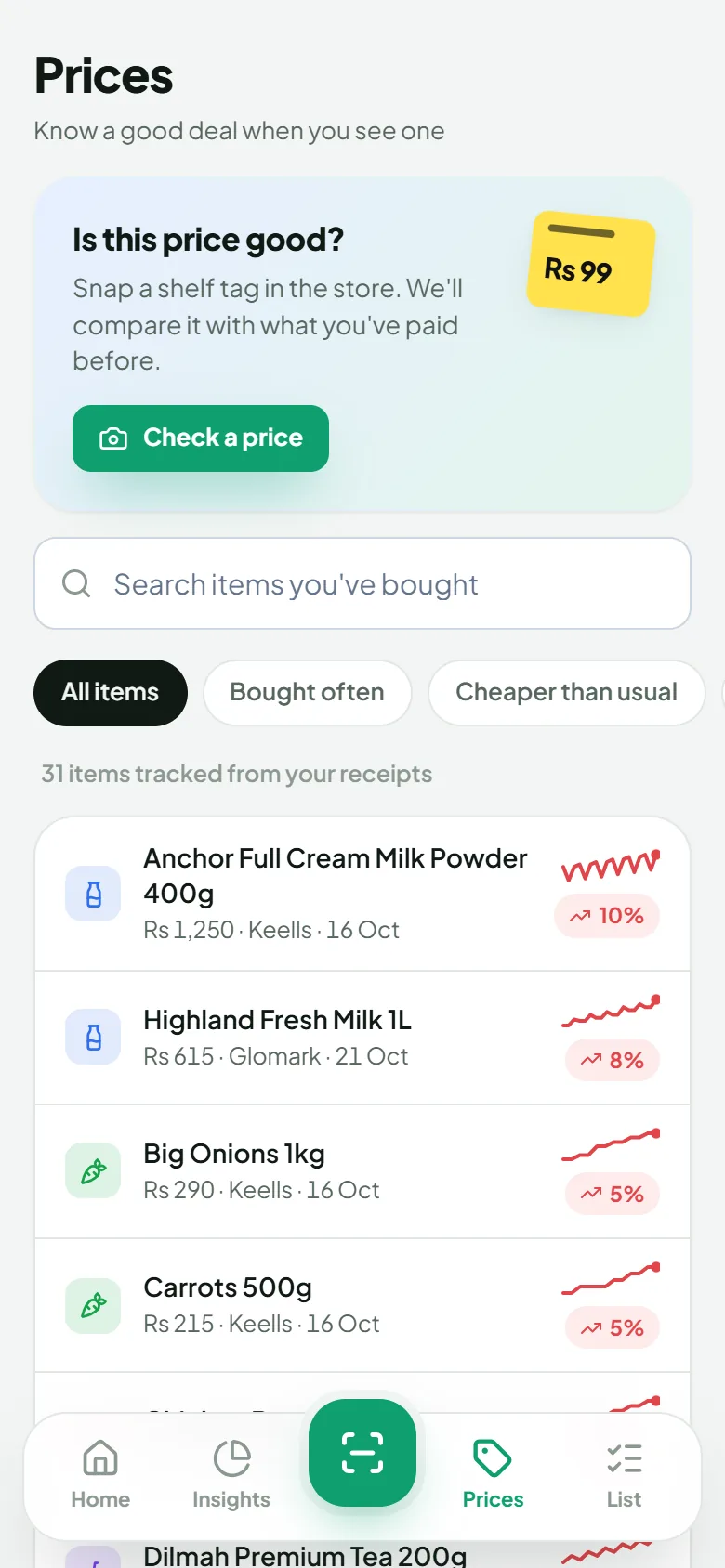
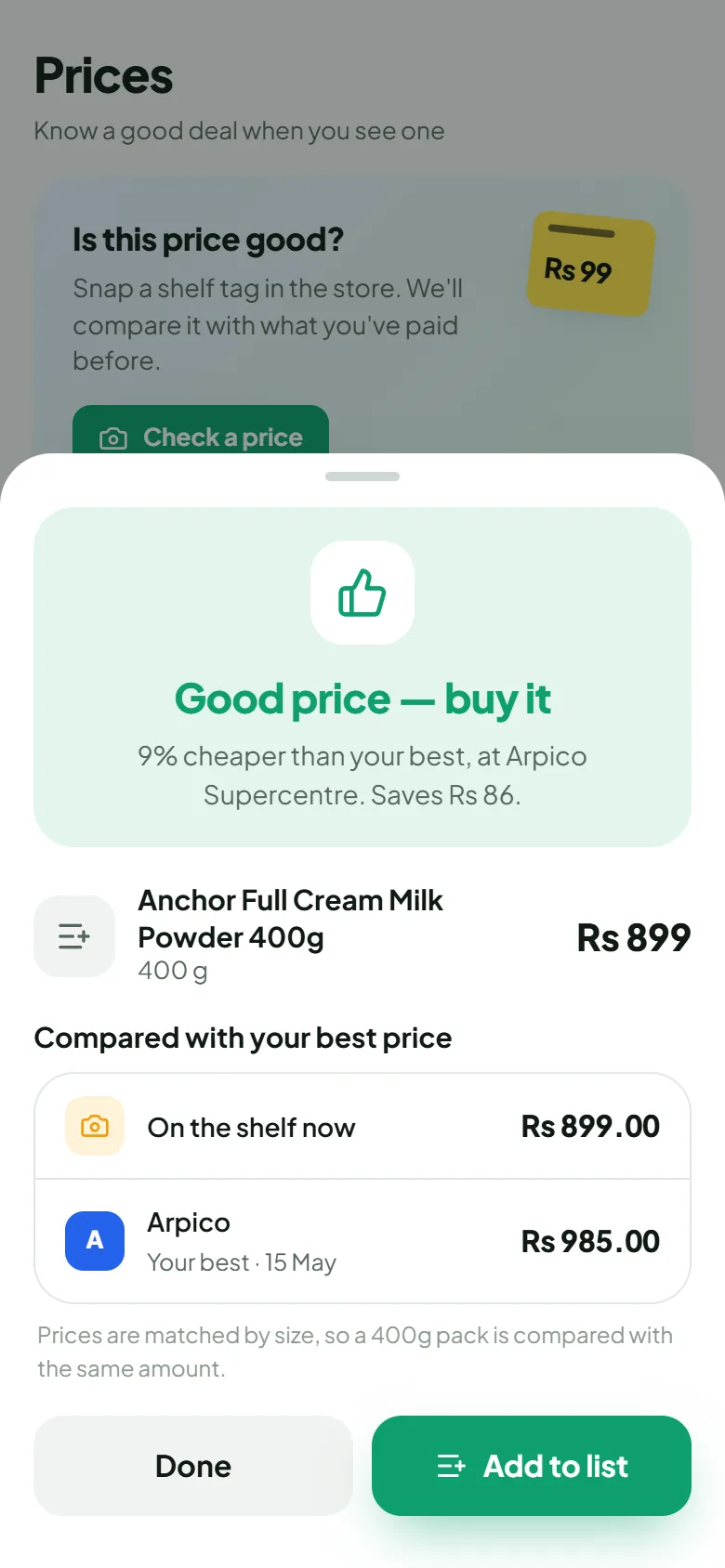
See what you paid for the same item at each supermarket and how prices have moved. Check a shelf tag against your history before you buy.
Smart shopping list
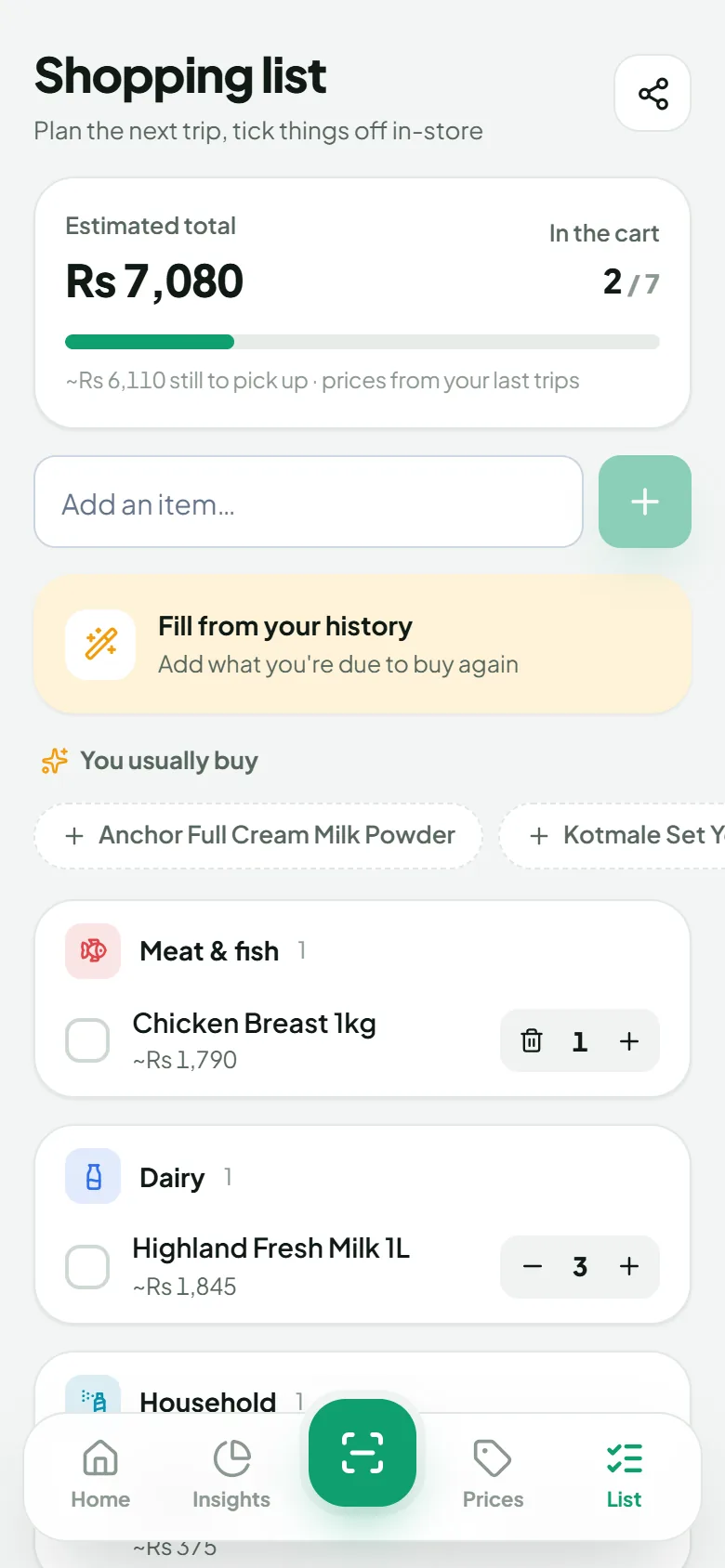
Suggests what you usually buy and projects what your list would cost at each store you've shopped in.
Loyalty points
Keeps your supermarket loyalty point balances next to your spending, so they don't get forgotten.
Polythene bag footprint
Counts the single-use bags you've taken home and what they cost, a small nudge toward a reusable bag.
Light & dark mode
A fresh light theme by day and an easy-on-the-eyes dark theme at night.
A look inside
Screens shown use sample data.
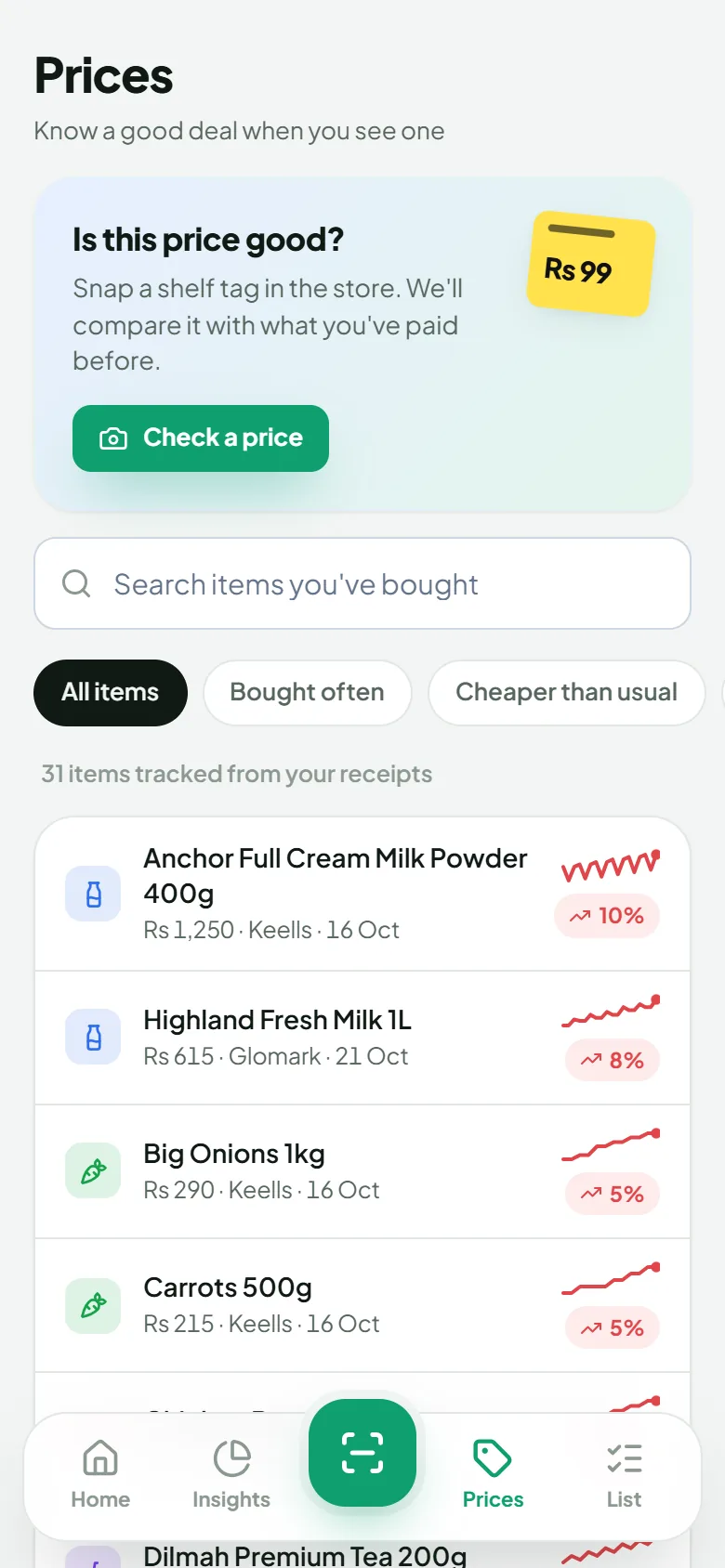
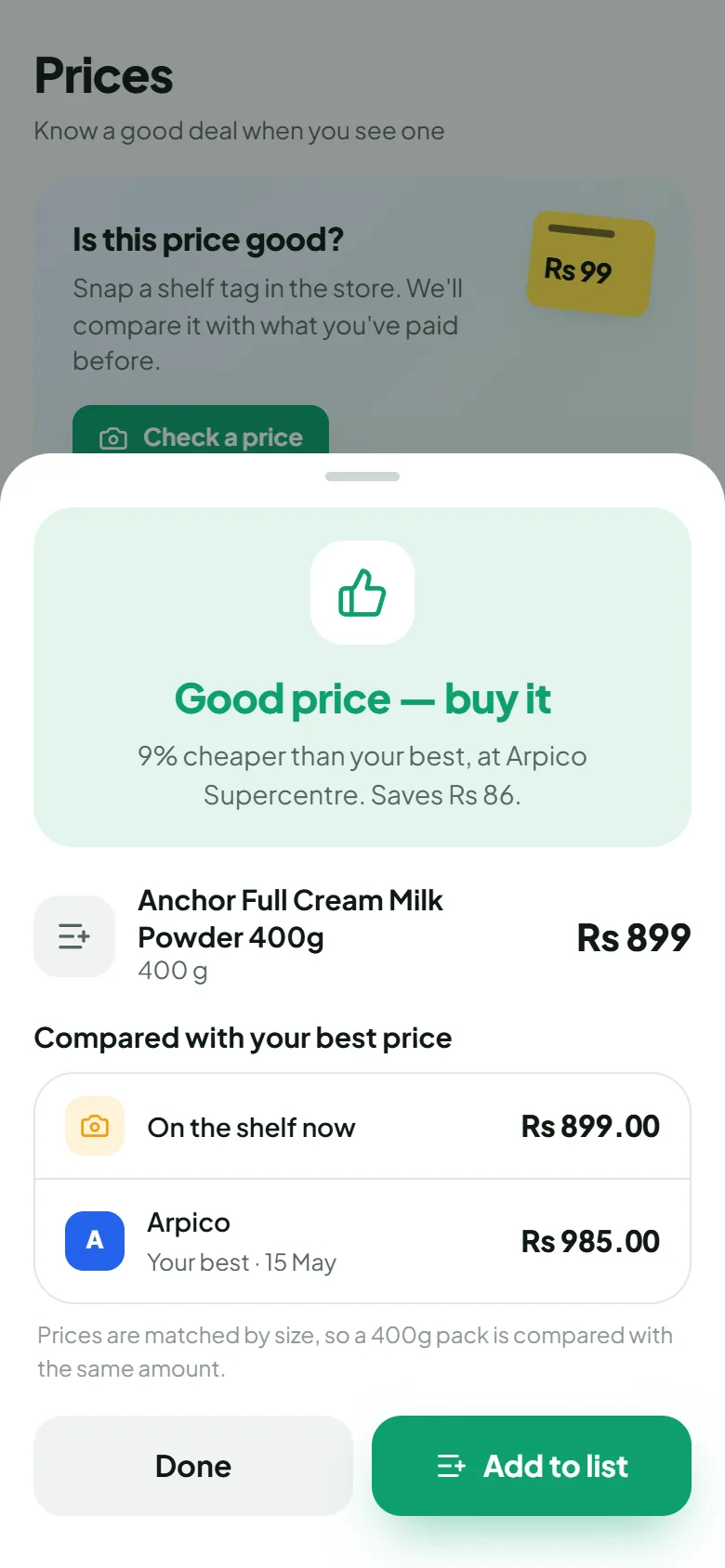
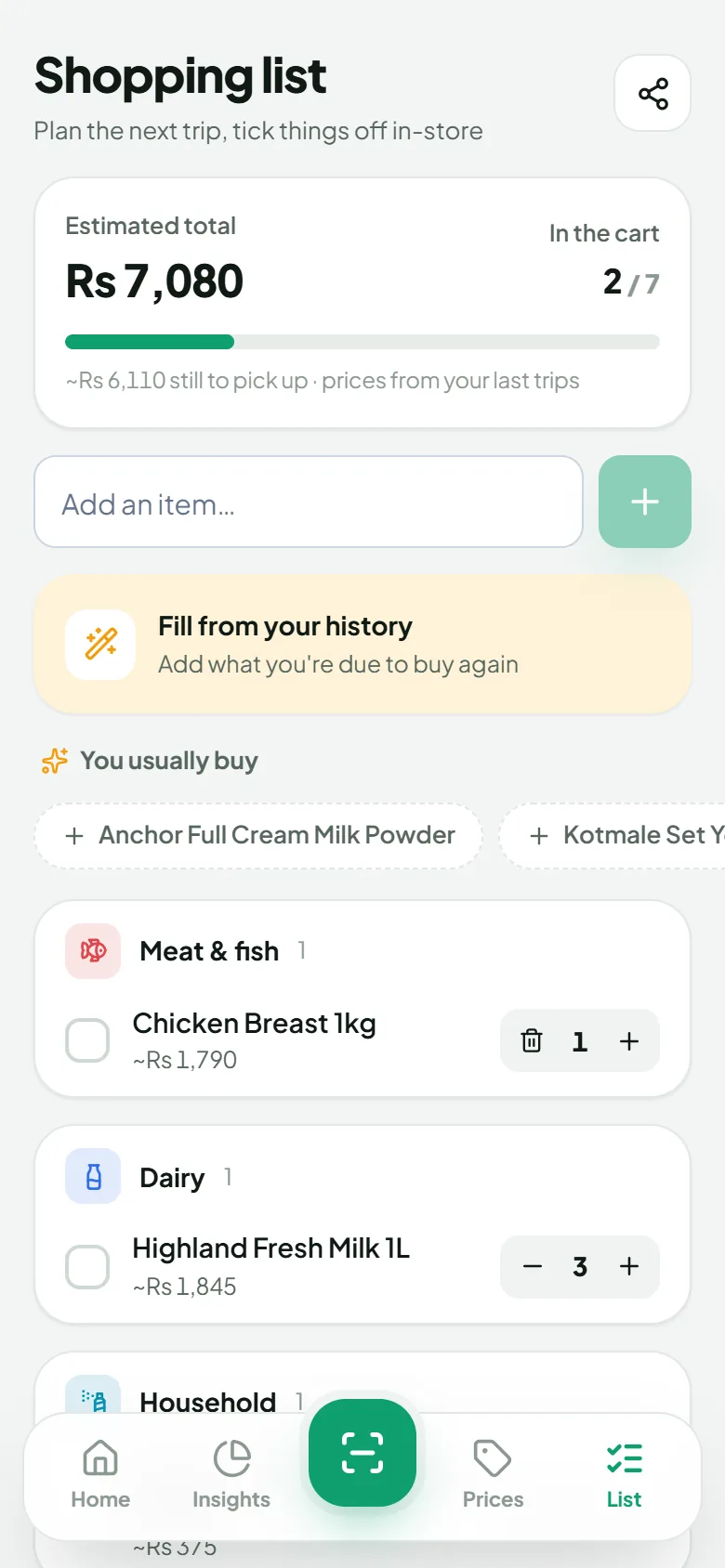
Bill Eka is an independent app. It is not affiliated with, endorsed by, or sponsored by Keells, Cargills, Arpico, Spar, Glomark or any other supermarket. Store names are trademarks of their respective owners and are used only to describe the receipts the app can read.
Your receipts are your business
Receipts show a lot about your life, so we keep the handling simple and honest.
Photos aren't kept
Receipt images are sent to Google's Gemini AI to be read, and are deleted from our servers as soon as the scan finishes.
Encrypted in transit
Everything between the app and our servers travels over HTTPS.
No ads, no data sales
We don't show ads and we don't sell or trade your data.
Delete anytime
Remove single receipts, or delete your whole account and everything stored with it from Profile → Data & Storage.
Questions
Can't find your answer? Visit the Help centre or email support@jackoftrade.net.
Is Bill Eka free?
Yes, it's free to download and use. If we add paid features later, they'll be clearly labelled before you're asked for anything.
Which supermarkets does it work with?
It's tuned for receipts from Keells, Cargills Food City, Arpico Supercentre, Spar and Glomark, and can read receipts from other shops too. Accuracy is best with clear, flat photos.
How accurate is the scanning?
It's AI, so it can occasionally misread a line. That's why every scan opens a review screen where you can correct any item, price or category before saving.
Which phones does it run on?
Android 7.0 or newer. There's no iPhone version yet.
Do I need internet?
Yes. Scanning and syncing your receipts need a connection.
How do I sign in?
With your Google account, an email and password, or your mobile number with a one-time code.
Is my data safe, and can I delete it?
Receipt photos are deleted right after scanning, and data travels encrypted. You can delete individual receipts or your whole account from inside the app. See the Privacy Policy for details.
Press kit
Icon, banner and screenshots for articles and reviews. Screenshots use sample data.